
How to set up SKED
- Download the "SKED.life" app
- Enter the Service Provider ID: 88068650
- Check in ID: # you use to check in upon arrival
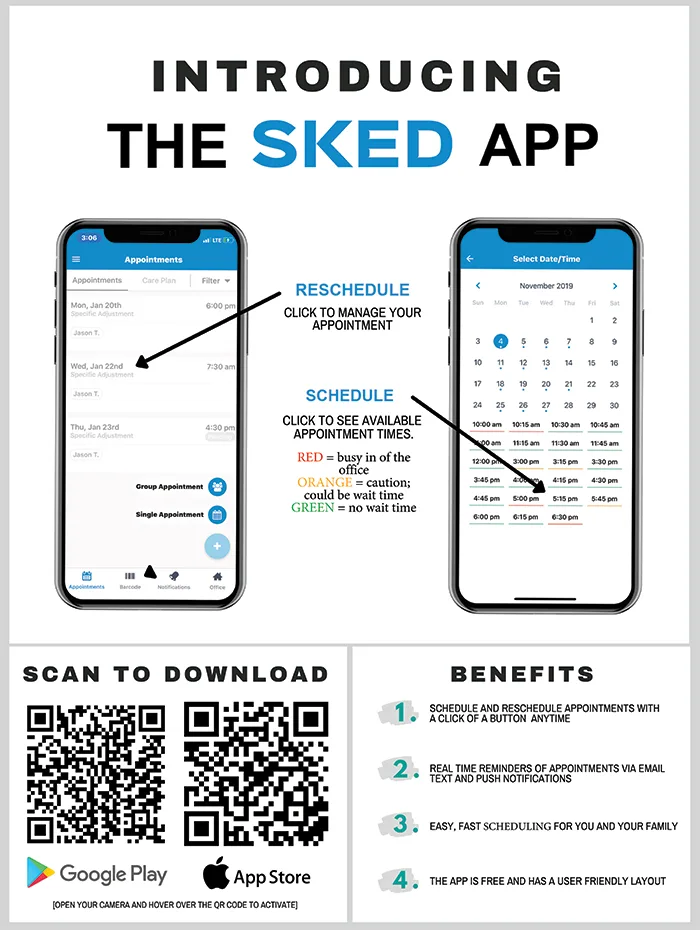
Through the app patients will be able to:
- View available appointment times
- Schedule appointments (single/ group)
- Receive notifications regarding appointments
- Keep up to date on office events
- Send messages directly to our office
- Easily reschedule or change appointments
*Saturdays and Massages cannot be scheduled through the app
This app is designed for patients with no doctor preference.
- By default, the "professional" will be listed as Dr. Anna Saylor. This does not indicate she will be the one adjusting you.
- Please call or text the office if there is a specific doctor that you wish to see.
Please continue to sign in on the iPads when you arrive.
Questions about the app or your check-in ID? Our front desk can help.
Contact us